
Mine - Online
PC Controls
- WASD: Move
- Space: Jump
- Shift: Run
- E: Open the crafting menu
- M: Open shopping
- H: Teleport
- T: Open chat
- Tab: Open the pause menu
Smartphone Controls
- Left-Side Swipe: Move
- Right-Side Swipe: Rotate the screen
- Sword Icon: Attack with the sword
- Up Arrow: Jump
- Upward-Pointing Finger: Place a block
- Gear Icon: Open the game menu
- Workbench: Open crafting
- Bottom Inventory: Choose an item to use





ABOUT MINE - ONLINE
Mine - Online is a 3D cubic game where players can dig blocks, build structures, create mines, and explore uncharted lands. The game lets you construct houses and castles from cubes while forging tools and weapons for your adventures. You can also play with friends by working together to create massive cities, underground tunnels, or secret bases. Players can choose to become builders, miners, or explorers depending on how they want to use the game's creative world. Inspired by Minecraft and Roblox, Mine - Online offers familiar cubic gameplay alongside its own features and challenges. The multiplayer experience also lets friends compete to see who can construct impressive buildings the fastest. Start building, exploring, and creating your own cubic world today!
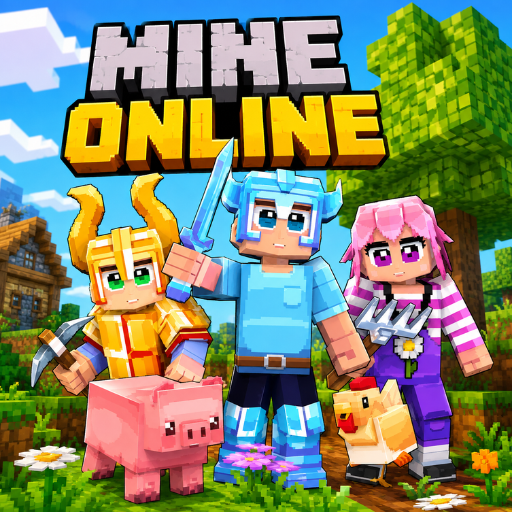
Mine - Online is a 3D cubic building and exploration game
GAMEPLAY OVERVIEW
Building and Exploration
Mine - Online places players inside a 3D cubic universe where creativity guides their activities. You can dig blocks, create mines, construct houses and castles, and explore uncharted lands. Tools and weapons can also be forged as you develop your world. The open-ended environment gives you different ways to build, mine, and explore.
Multiplayer Creativity
The game allows you to play with friends while working together or competing on building projects. Players can create massive cities, dig underground tunnels, and construct secret bases as a team. You can also compete to see who can build the coolest structure the fastest. This multiplayer experience adds another way to enjoy the game's creative challenges.
Crafting and Customization
Crafting is an important part of creating items and developing your cubic world. On PC, the crafting menu can be opened with E, while smartphone players can access crafting through the workbench. Players can also select items from the inventory and use different tools throughout their adventures. These systems support the game's focus on building, exploration, and creative play.
Control Guide
PC Controls
- WASD: Move
- Space: Jump
- Shift: Run
- E: Open the crafting menu
- M: Open shopping
- H: Teleport
- T: Open chat
- Tab: Open the pause menu
Smartphone Controls
- Left-Side Swipe: Move
- Right-Side Swipe: Rotate the screen
- Sword Icon: Attack with the sword
- Up Arrow: Jump
- Upward-Pointing Finger: Place a block
- Gear Icon: Open the game menu
- Workbench: Open crafting
- Bottom Inventory: Choose an item to use
SIMILAR GAMES





















this is sooooooooooooooooooooooooooooooooooooooooooooooo good