Obby: Skate For Brainrots
PC Controls
WASD: Move your character.
Spacebar: Jump.
Right Mouse Button: Rotate the camera.
Mouse Wheel: Zoom in or out.
Hold U: Interact with brainrots.
Mobile Controls
Left Joystick: Move your character.
Right-Side Touch Area: Rotate the camera.
On-Screen Buttons: Jump, interact with brainrots, and perform other available actions.












ABOUT OBBY: SKATE FOR BRAINROTS
Obby: Skate For Brainrots is a 3D skateboarding obby game where you steal collectible brainrots, escape security guards, and upgrade your skateboard to reach new areas. Your main objective is to grab valuable brainrots and escape with your loot before the guards catch you. Improving your speed and jumping abilities allows you to travel faster, leap higher, and access new zones containing rarer collectibles. The game features different brainrot rarities, including legendary, mythic, and secret variants, alongside special gold, diamond, lava, and radioactive versions. You can also personalize your appearance with different skateboard decks and character skins. A competitive leaderboard adds another challenge as you improve your speed and expand your collection. Upgrade your skateboard, outsmart the guards, and collect the rarest brainrots to become a top player!
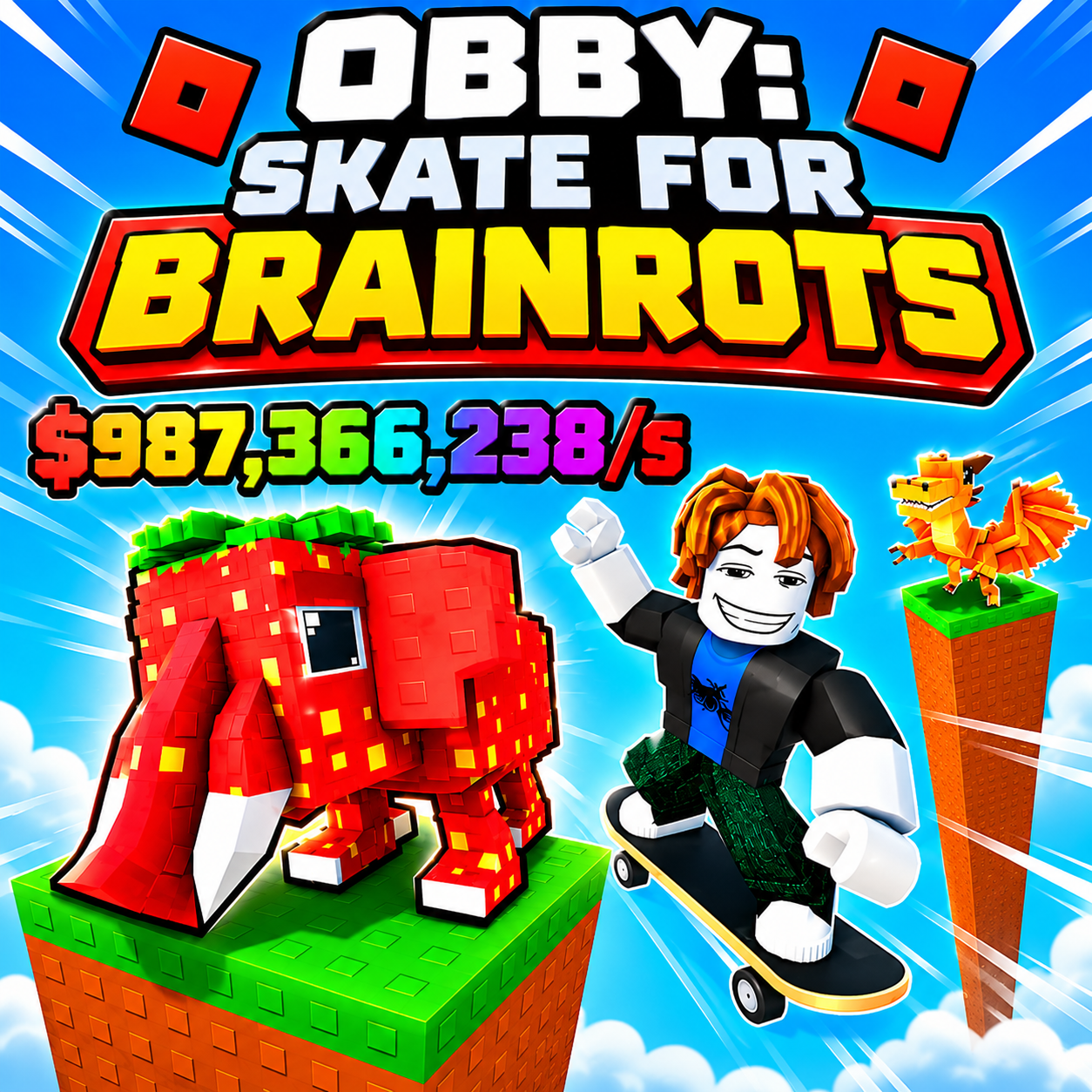
Obby: Skate For Brainrots - A 3D skateboarding obby game with brainrot collecting, upgrades, and security escapes
GAMEPLAY OVERVIEW
Steal Brainrots and Escape Security Guards
Obby: Skate For Brainrots combines skateboarding movement with collectible hunting and escape challenges. Your objective is to approach valuable brainrots, interact with them, and escape the area while avoiding security guards. Different guards stand between you and your loot, making quick movement and careful timing important during each attempt.
Once you obtain a brainrot, you must use your skateboard's speed and jumping abilities to get away from security. The challenge is not simply reaching a collectible but successfully escaping with it. As you improve your movement abilities, you can attempt more difficult escapes and expand your collection with increasingly valuable discoveries.
Upgrade Speed and Jump to Reach New Zones
Progression revolves around improving two important abilities: skateboard speed and jumping power. These upgrades determine how efficiently you can move through the environment and which areas you can reach.
Speed Upgrades: Increase your movement speed to escape guards more effectively and travel between locations faster.
Jump Upgrades: Improve your jumping height to reach elevated areas and unlock access to new zones.
Higher jumping power opens opportunities to explore locations containing rarer brainrots. This creates a progression cycle where improving your abilities helps you discover more valuable collectibles, while new zones introduce additional goals.
Choosing when to focus on speed or jumping depends on whether you want to improve your escapes or explore higher locations.
Collect Rare Brainrots and Customize Your Skateboard
Building a valuable brainrot collection is one of the main objectives. Different collectibles have varying levels of rarity, encouraging you to search new areas and pursue harder-to-find prizes.
The collection includes several notable categories:
Legendary Brainrots: Rare collectibles to add to your growing collection.
Mythic Brainrots: Higher-rarity discoveries for dedicated collectors.
Secret Brainrots: Special collectibles that provide additional hunting goals.
Special Variants: Look for gold, diamond, lava, and radioactive brainrots.
Beyond collecting, you can purchase different skateboard decks and character skins to personalize your appearance. These customization options let you develop your own style while exploring the obby environment.
The leaderboard introduces a competitive objective, allowing you to pursue higher rankings as you improve your speed and overall performance.
Control Guide
PC Controls
WASD: Move your character.
Spacebar: Jump.
Right Mouse Button: Rotate the camera.
Mouse Wheel: Zoom in or out.
Hold U: Interact with brainrots.
Mobile Controls
Left Joystick: Move your character.
Right-Side Touch Area: Rotate the camera.
On-Screen Buttons: Jump, interact with brainrots, and perform other available actions.