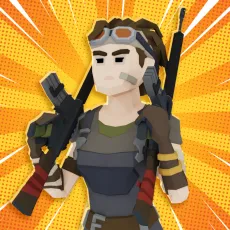
Hazmob FPS
- Move: Arrow Keys or WASD
- Aim: Mouse or Touchscreen
- Shoot: Left Mouse Button or Attack Button
- Jump: Spacebar or Jump Button
- Crouch: C Key or Crouch Button
- Switch Weapons: Number Keys or Swipe Icons
- Use Power-Ups: Designated Button
- Pause/Menu: ESC or Menu Button

ABOUT HAZMOB FPS
Hazmob FPS is a first-person shooter game inspired by fast-paced combat, online competition, and mission-based action experiences. Throughout every session, players experience intense battles, weapon-based gameplay, and rewarding progression across colorful environments. The game focuses on shooting mechanics, mission completion, character growth, and competitive multiplayer encounters. Smooth controls support accessible gameplay while diverse challenges encourage players to improve combat performance. Regular missions and events provide fresh objectives while maintaining engagement across longer gaming sessions. Jump into the action today and test your shooting skills against challenging opponents!
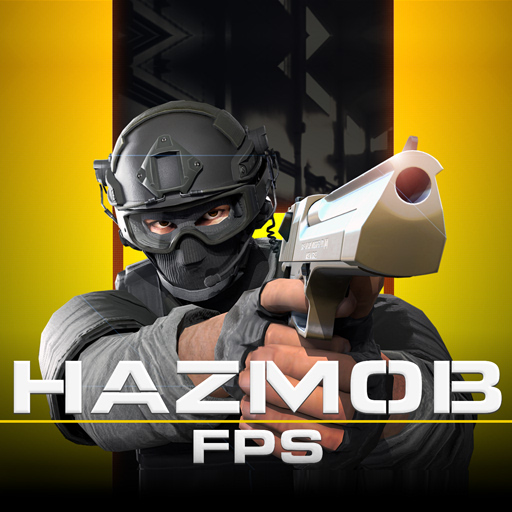 Hazmob FPS - A first-person shooter game
GAMEPLAY OVERVIEW
Core Gameplay
In Hazmob FPS, players control a first-person character and complete objectives through combat-focused missions. Every mission presents different challenges requiring accurate aiming, quick reactions, and effective decision-making. Meanwhile, colorful maps introduce varied environments and encourage exploration during combat encounters. Both new players and experienced competitors can enjoy accessible gameplay with rewarding progression opportunities.
Game Modes and Character Progression
Several game modes provide different ways to experience action and compete against opponents.
- Solo Mode allows independent play while focusing on missions and map exploration activities.
- Multiplayer Mode introduces real-time competition against friends and other online participants.
- Team Battles encourage cooperation and strategic coordination while facing opposing groups across various maps.
- Daily Challenges offer additional rewards through special objectives completed during regular gameplay sessions.
- Events Mode introduces limited-time content featuring unique missions, maps, and exclusive rewards.
Character upgrades improve combat effectiveness through stronger weapons, enhanced equipment, and better overall performance. Customization options also allow players to modify outfits, skins, and visual appearances.
Graphics, Features, and Control Guide
Bright visual design creates attractive battlefields while maintaining smooth performance throughout every gaming session. Colorful maps provide variety and present different challenges during mission-based activities. Realistic sound effects increase immersion and support the action-focused atmosphere during battles. Different weapons offer strategic flexibility because players can switch equipment according to combat situations.
Control Guide:
- Move: Arrow Keys or WASD
- Aim: Mouse or Touchscreen
- Shoot: Left Mouse Button or Attack Button
- Jump: Spacebar or Jump Button
- Crouch: C Key or Crouch Button
- Switch Weapons: Number Keys or Swipe Icons
- Use Power-Ups: Designated Button
- Pause/Menu: ESC or Menu Button
SIMILAR GAMES