
Garry's Mod
WASD / Arrow Keys: Move
Mouse Movement: Aim
Left Mouse Button: Attack
Space: Jump
Shift: Run
R: Reload

ABOUT GARRY'S MOD
Garry's Mod is a first-person physics game where players can unleash their creativity without predefined objectives or goals. Explore an immense environment while using the tools available throughout the game. The game features three modes: Sandbox, Survival, and Nextbots, each offering a different way to play. Sandbox provides a wide arsenal of weapons without limitations, while Survival challenges you to defend yourself from dangerous zombies. Nextbots offers a realm of imagination where players can discover unexpected experiences throughout the environment. Developed by Facepunch Studios, Garry's Mod provides a simple way to explore, experiment, and enjoy its creative gameplay. Enter the world of Garry's Mod and discover what awaits you!
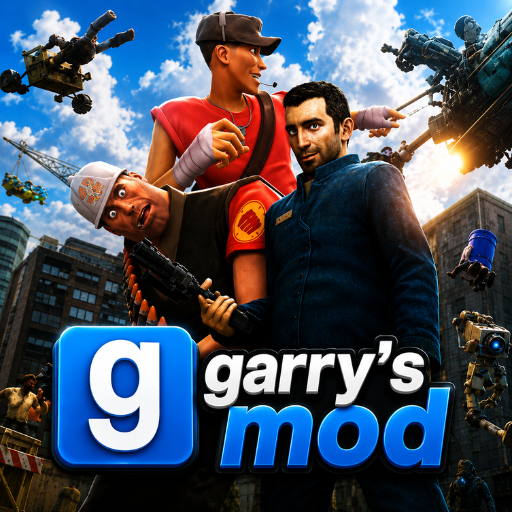
Garry's Mod is a first-person physics game
GAMEPLAY OVERVIEW
Creative Physics Gameplay
Garry's Mod gives players an open-ended environment with no predefined objectives or goals. The game focuses on creativity and exploration while players use the available tools throughout their experience. Its physics-based gameplay creates opportunities to discover unexpected situations as you explore the environment. This open-ended approach allows players to enjoy the game without following a fixed objective.
Game Modes
The game features three modes: Sandbox, Survival, and Nextbots. Sandbox offers a wide arsenal of weapons without limitations, while Survival puts players against dangerous zombies. Nextbots provides a different challenge centered around imagination, creativity, and unexpected experiences. Each mode gives players another way to explore the game's environment and gameplay.
Controls and Movement
Players can use WASD or the arrow keys to move around the environment. Mouse movement controls aiming, while the left mouse button is used to attack. Space allows the character to jump, and Shift activates running. The R key is used to reload during gameplay.
Control Guide
WASD / Arrow Keys: Move
Mouse Movement: Aim
Left Mouse Button: Attack
Space: Jump
Shift: Run
R: Reload
SIMILAR GAMES




















nice