Golf Masters
Mouse
Click and drag the ball backward: Set shot power.
Move left or right: Adjust aim.
Release: Shoot the ball.
Drag elsewhere: Rotate the camera.
Keyboard
A / D or Left / Right Arrow: Adjust aim.
W / S or Up / Down Arrow: Set shot power.
Space: Shoot.
C: Activate free look.
P / Esc: Pause the game.
Q / E: Apply curve with legendary balls.
R / F: Apply top spin or backspin.
Z / X: Apply spiral spin.
Touch Controls
Touch and drag the ball backward: Set shot power.
Slide left or right: Adjust aim.
Lift your finger: Shoot.
Drag the course: Rotate the camera.
Draw a spin gesture before shooting: Apply spin with legendary balls.











ABOUT GOLF MASTERS
Golf Masters is a 3D mini golf game that challenges players to complete colorful courses in as few strokes as possible while navigating obstacles and tricky terrain. Across 174 holes spread over seven themed areas, you'll need to judge your shot power, choose the right direction, and guide the ball toward each cup. The game also features six-player Battles across 22 arenas, where competitors race against the clock to earn cups and climb the global leaderboard. Online rooms let up to six friends play together in public or private matches, either individually or in teams. Beyond the courses, you can collect different balls, trails, and hole effects, customize your playing experience with club upgrades, and earn rewards through daily activities. With cheerful visuals, smooth putting mechanics, and both competitive and social modes, there's plenty to explore. Line up your next shot and see how many holes you can master!
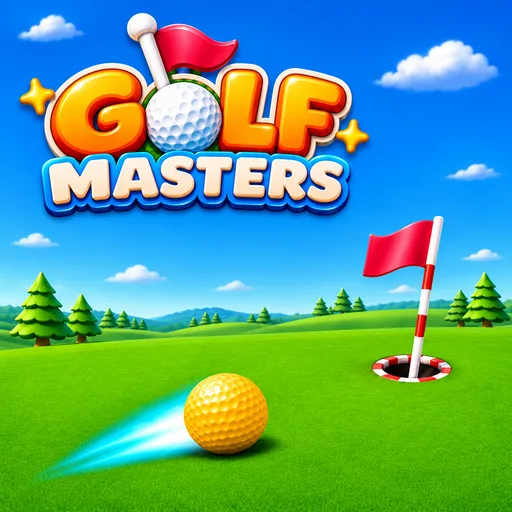
Golf Masters - A 3D Multiplayer Mini Golf Game
GAMEPLAY OVERVIEW
Aiming, Putting, And Course Obstacles
In Golf Masters, every shot starts with positioning your aim and adjusting the power before releasing the ball. The guideline helps you plan your direction, while course features such as walls, ramps, sand, ice, ponds, and lava create different challenges along the way. You can also use borders to bank shots, take advantage of slopes and geysers, and move the free-look camera around a hole to inspect the course. Completing a hole below par earns three stars, matching par gives two, and finishing one or two strokes over par awards one star. Stars are important for unlocking the next themed areas.
Progression, Club Upgrades, And Collectibles
Every completed hole and Battle provides coins and XP, with new players starting with 500 coins. Gaining a level unlocks the next Battle arena, up to level 20, and grants one upgrade point. These points can improve Power, Accuracy, Guideline, or Luck, with six upgrade steps available for each attribute. Luck adds a chance to double the coins, XP, and cups earned from a match. The Lucky Spin costs 1,000 coins per attempt, although a free spin is also available by watching a short video. Possible prizes include balls, trails, hole effects, and chests containing two or three items, with at least one new item guaranteed every ten spins. Daily gifts provide coins and a ball trail through a seven-day calendar, while three daily challenges at a time contribute toward filling a larger reward chest.
Multiplayer Battles And Competitive Rewards
Battle mode puts six players against one another across 22 arenas, with cups determining their standing on the global leaderboard. Each hole awards between zero and three stars, and the value of each star depends on the arena, ranging from 10 cups in the first arena to 52 in the last. Finishing first adds a 50% bonus to the earned cups, while second place provides an additional 25%. Your leaderboard total is calculated using your best match result from each arena rather than simply adding every match together. Special balls also add variety to competitive play: golden balls provide 25% more coins, star balls grant 25% more XP, and other designs improve a club stat. Six legendary character balls have additional curve and spin abilities. For playing with friends, online rooms support up to six participants in public or private matches, with solo and team options.
Control Guide
Mouse
Click and drag the ball backward: Set shot power.
Move left or right: Adjust aim.
Release: Shoot the ball.
Drag elsewhere: Rotate the camera.
Keyboard
A / D or Left / Right Arrow: Adjust aim.
W / S or Up / Down Arrow: Set shot power.
Space: Shoot.
C: Activate free look.
P / Esc: Pause the game.
Q / E: Apply curve with legendary balls.
R / F: Apply top spin or backspin.
Z / X: Apply spiral spin.
Touch Controls
Touch and drag the ball backward: Set shot power.
Slide left or right: Adjust aim.
Lift your finger: Shoot.
Drag the course: Rotate the camera.
Draw a spin gesture before shooting: Apply spin with legendary balls.