Paint Hide and Seek
PC
- W, A, S, D: Move
- Mouse: Rotate the camera
- Space: Jump
- F: Enter paint mode
- T: Change pose
- Click an object: Sample its color in paint mode
- Drag across your character: Apply the selected paint
Mobile
- Virtual joystick: Move
- Swipe on the right side: Rotate the camera
- On-screen buttons: Jump, enter paint mode, and change pose












ABOUT PAINT HIDE AND SEEK
Paint Hide and Seek is a new strategy game with interesting gameplay. Players copy the colors and textures around them to blend into walls, floors, and everyday objects before the hunter begins searching. Each match rewards sharp observation, smart positioning, and patience as you create convincing disguises in detailed maps. Every round feels different thanks to new hiding spots and fresh opportunities to fool the hunter. Jump into the action and see if your camouflage can survive until the end!
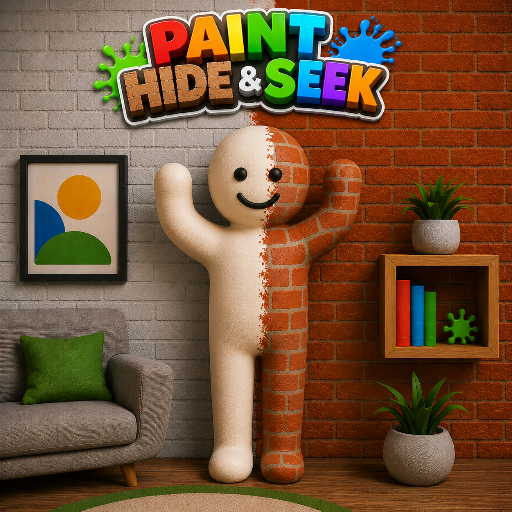 Paint Hide and Seek - A new strategy game with interesting gameplay
GAMEPLAY OVERVIEW
Master Creative Camouflage
In Paint Hide and Seek, your main objective is to find a good hiding place and disguise yourself by matching nearby colors and patterns. A successful disguise depends on paying close attention to your surroundings, since even small differences can make you stand out. You can also switch between different poses to fit naturally into the environment. As maps change, players must adapt their hiding strategies and discover new ways to stay unnoticed.
Stay One Step Ahead Of The Hunter
The hunter carefully checks every corner of the map, searching for anything that looks unusual or out of place. Remaining completely still is just as important as choosing the right disguise because unnecessary movement can reveal your location. Careful planning, quick thinking, and strong observation skills increase your chances of staying hidden until the round ends. Every victory encourages you to improve your camouflage and try even smarter hiding tactics.
CONTROL GUIDE
PC
- W, A, S, D: Move
- Mouse: Rotate the camera
- Space: Jump
- F: Enter paint mode
- T: Change pose
- Click an object: Sample its color in paint mode
- Drag across your character: Apply the selected paint
Mobile
- Virtual joystick: Move
- Swipe on the right side: Rotate the camera
- On-screen buttons: Jump, enter paint mode, and change pose
SIMILAR GAMES