
Call of Duty
PC
- W, A, S, D: Move.
- Mouse: Aim.
- Shift: Run.
- Space: Jump.
- C: Squat.
- Z: Go prone.
- Right Mouse Button: Aim.
- Left Mouse Button: Shoot.
- Mouse Wheel: Change weapons.
- E: Pick up a weapon.
- R: Reload.
- Tab: Open the menu or pause.






ABOUT CALL OF DUTY
Call of Duty is a shooting game where two nations fight over strategic points using their own weapon arsenals. Battles alternate between attacking and defending roles, requiring teams to capture positions or prevent enemy advances. Eliminating opponents and securing objectives earns points that can unlock additional weapons. Coordinate with your allies, control every key position, and push the opposing side out of the fight!
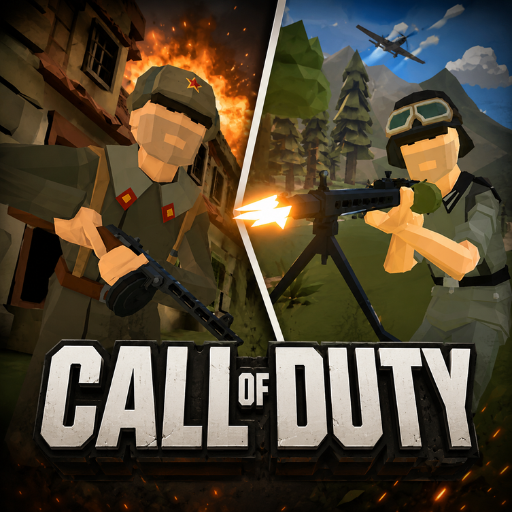 Call of Duty - A shooting game where two nations fight over strategic points
GAMEPLAY OVERVIEW
Capture or Defend Strategic Points
In Call of Duty, each battle randomly assigns the attacking and defending roles at the start. Defenders must stop enemies from entering and taking strategic points until the attackers run out of reinforcements. The attacking side instead works to capture these positions alongside its allies. Losing every strategic point results in defeat for the defending team.
Earn Points and Unlock Weapons
Successful combat and objective play contribute directly to weapon progression. Destroying enemies and capturing points both award points during battle. These points can then be spent to unlock new weapons. An advertisement can also be watched to speed up this unlocking process.
Adjust the Pace of Battle
The timeline setting allows the speed of gameplay to be adjusted according to your preference. Slowing down game time makes battles feel less rushed. It also lets combat sequences unfold in slow motion. This setting can be changed depending on how you want each battle to play.
CONTROL GUIDE
PC
- W, A, S, D: Move.
- Mouse: Aim.
- Shift: Run.
- Space: Jump.
- C: Squat.
- Z: Go prone.
- Right Mouse Button: Aim.
- Left Mouse Button: Shoot.
- Mouse Wheel: Change weapons.
- E: Pick up a weapon.
- R: Reload.
- Tab: Open the menu or pause.
SIMILAR GAMES























yarak