
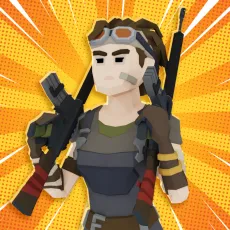
2v2.io
- WASD / Arrow Keys — Move the character across the battlefield.
- Left Mouse Button — Shoot equipped weapons during combat encounters.
- Right Mouse Button — Enter aim or building mode during gameplay.
- R — Reload the equipped weapon.
- Spacebar — Jump across terrain obstacles or reach higher ground.
- Z — Build a wall structure.
- X — Build a ramp structure.
- C — Build a roof structure.
- G — Edit existing structures.






ABOUT 2V2.IO
2v2.io is a 3D multiplayer battle royale shooting game inspired by competitive arena combat and fast building mechanics in modern online games. The game places players inside shrinking battlegrounds where teamwork, fast reactions, and tactical thinking determine survival. Developed by Legion, this browser based experience combines shooting action with instant construction systems during intense matches. The gameplay concept blends offensive gunplay with quick defensive building to create dynamic encounters between competing squads. Players often enjoy the game because every round feels unpredictable and filled with rapid tactical decisions. The colorful three dimensional visuals and simple access through web browsers help attract players across many devices. Join the battlefield today and see if your squad can survive the shrinking arena!
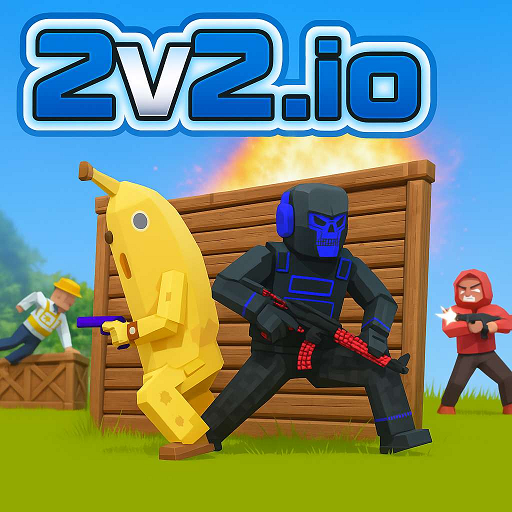 2v2.io - A 3D multiplayer battle royale shooting game
GAMEPLAY OVERVIEW
Team Battle Royale Combat
At the beginning of each match in 2v2.io, a two player squad appears inside a randomly selected location on the battlefield. Players immediately search the environment for useful materials and prepare for incoming enemy encounters. Combat quickly emerges between teams competing for survival across the shrinking arena. The safe zone gradually becomes smaller during the match, forcing squads into increasingly intense firefights. Teams must eliminate opponents while protecting themselves through movement, positioning, and coordinated attacks.
Building and Resource Strategy
During combat, players collect materials such as wood and metal from the surrounding map areas. These resources allow construction of defensive structures such as walls, ramps, and roofs during battle situations. Strategic building provides cover from incoming attacks while also creating higher positions for better shooting angles. The instant construction system allows players to build protective structures without interrupting ongoing combat engagements.
Fast Gunplay and Tactical Survival
Matches require quick reactions because enemies may appear from different directions across the arena. Accurate shooting and careful positioning help squads survive longer during firefights against rival teams. Players must also remain inside the shrinking safe zone while monitoring nearby opponents. Successful teams balance offensive gunplay with defensive building strategies during each encounter.
Strategies for 2v2.io
Strong communication between teammates helps coordinate attacks and avoid unnecessary risks during intense encounters.
Smart positioning inside the safe zone increases survival chances while reducing exposure to enemy fire.
Efficient material collection ensures players always have resources available for building during critical moments.
Quick switching between shooting and building helps maintain control during unpredictable combat situations.
Awareness of enemy movement patterns allows players to react faster and prepare defensive structures in advance.
Practicing aim regularly improves accuracy, leading to faster eliminations and better overall match performance.
Control Guide
- WASD / Arrow Keys — Move the character across the battlefield.
- Left Mouse Button — Shoot equipped weapons during combat encounters.
- Right Mouse Button — Enter aim or building mode during gameplay.
- R — Reload the equipped weapon.
- Spacebar — Jump across terrain obstacles or reach higher ground.
- Z — Build a wall structure.
- X — Build a ramp structure.
- C — Build a roof structure.
- G — Edit existing structures.
SIMILAR GAMES





















Hi
Hi