Supermarket Simulator: Desert
PC
- ASDW: Character movement
- Left Mouse Button: Interact with items and customers
- G: Throw an item
- E: Exit the cash register
- T: Sell item +100$
Mobile
- Joystick: Character movement
- Right: Rotate the camera
- LMB Button: Interact with items and customers














ABOUT SUPERMARKET SIMULATOR: DESERT
Supermarket Simulator: Desert is a supermarket simulation game set in a distinctive desert environment. Players manage their own store by organizing inventory and keeping shelves stocked. Serving customers and helping them find the right products also plays an important role. Players can handle transactions at the cash register while managing their product assortment. Store expansion and improvements can attract a wider customer base. You can also compete with other players for the status of the best supermarket. Step into your desert store and start building your supermarket today!
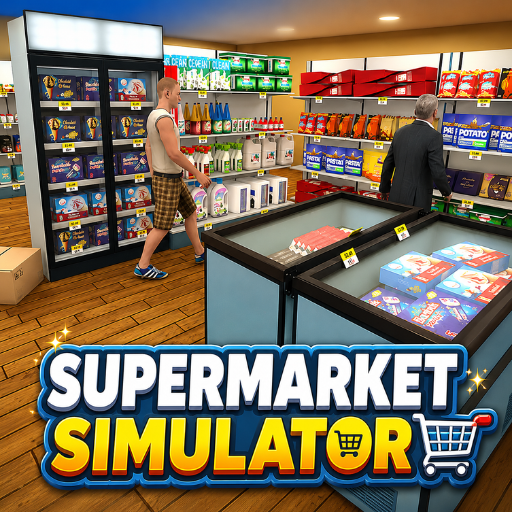
Supermarket Simulator: Desert is a supermarket simulation game
GAMEPLAY OVERVIEW
Store Management
Supermarket Simulator: Desert puts players in charge of their own supermarket. Players must replenish shelves and keep their product assortment organized. Serving customers and helping them find suitable products are also key parts of running the store. Efficient inventory management keeps the supermarket ready for customers.
Customers and Expansion
Players can interact with customers and handle transactions at the cash register. Expanding and improving the store can attract more customers over time. The game also lets players compete with others for the status of the best supermarket. Progress is automatically saved every 10 seconds.
Desert Environment
The supermarket operates in a distinctive desert setting with bright and detailed graphics. The visual design focuses on conveying the atmosphere of the desert throughout the store. Players can organize and improve their supermarket while working within this unique environment. The intuitive controls make interacting with items and customers straightforward.
Control Guide
PC
- ASDW: Character movement
- Left Mouse Button: Interact with items and customers
- G: Throw an item
- E: Exit the cash register
- T: Sell item +100$
Mobile
- Joystick: Character movement
- Right: Rotate the camera
- LMB Button: Interact with items and customers
SIMILAR GAMES