+1 Jump - Obby Escape Keyboard
Desktop
WASD: Move your character.
Space: Jump.
Left Mouse Button: Perform an action.
Mobile
Left Virtual Joystick: Move your character.
Right Virtual Joystick: Control the camera.
On-Screen Buttons: Jump and perform other actions.


ABOUT +1 JUMP - OBBY ESCAPE KEYBOARD
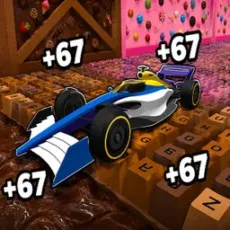
+1 Jump - Obby Escape Keyboard is an obby platform game where you perform backflips to increase your speed while navigating colorful obstacle courses built from giant keyboard keys. Set in a sweet-themed world, the game challenges you to maintain your momentum, time your jumps, and avoid falling into the abyss. Every successful backflip adds speed, allowing you to move faster as you progress through increasingly difficult sections. However, one mistake can send you back to the beginning, making careful movement just as important as building speed. Completing challenges earns wins that contribute to your progression, while upgrades and multipliers help you improve your performance. New worlds introduce additional obstacles, and satisfying keyboard click sounds accompany your movements across the tracks. Master your backflips, conquer the giant keyboard, and race toward the top without falling!
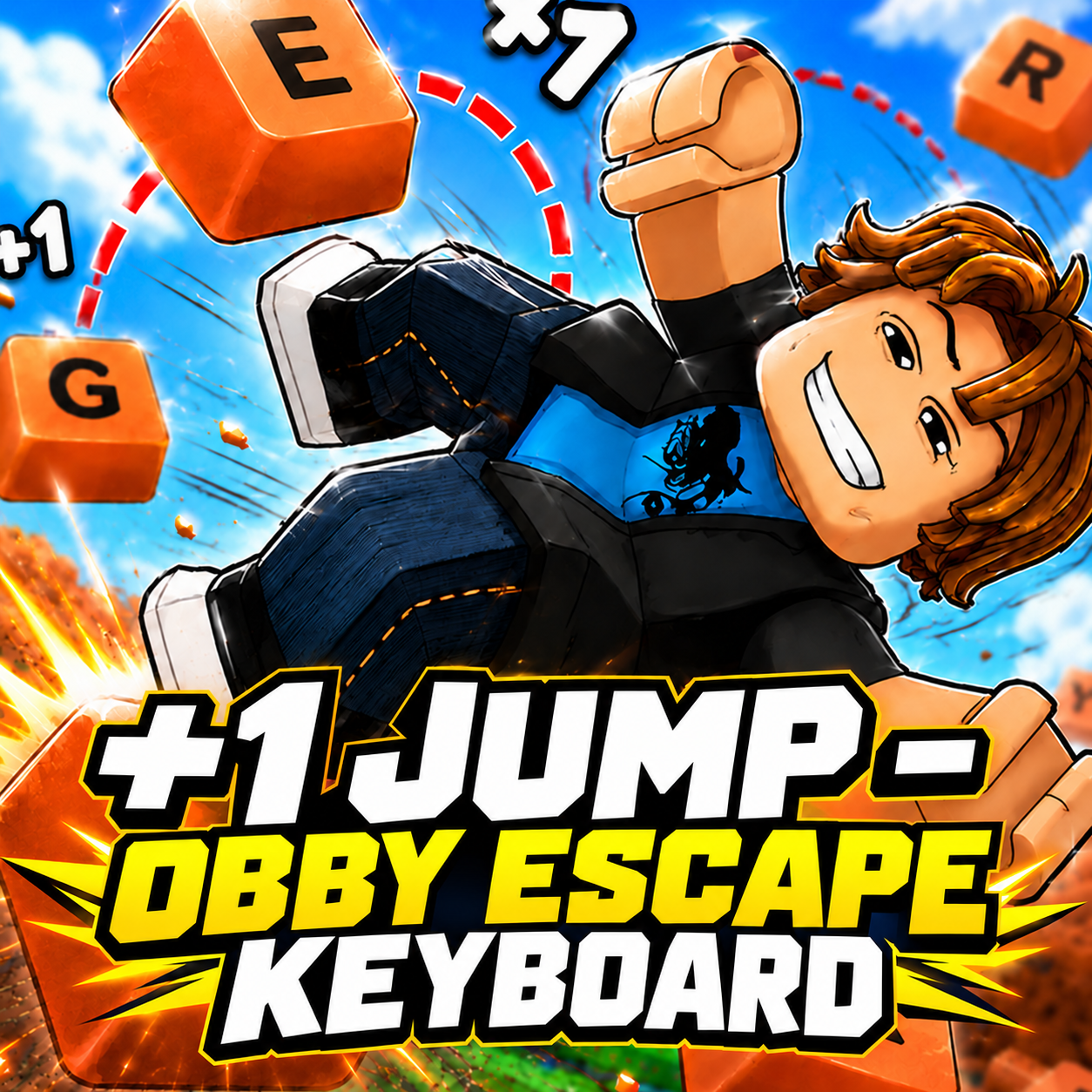
+1 Jump - Obby Escape Keyboard - A speed-building obby platform game with backflip challenges
GAMEPLAY OVERVIEW
Perform Backflips to Build Speed and Momentum
+1 Jump - Obby Escape Keyboard revolves around a simple progression mechanic: every backflip increases your character's speed. As you run across the oversized keyboard, performing flips helps you build momentum for the challenges ahead. The faster you become, the more important it is to control your movement and time each jump carefully. Combining backflips with well-timed landings allows you to maintain progress without losing control near dangerous edges.
Navigate Giant Keyboard Tracks and Avoid Falling
The obstacle courses feature colorful, sweet-themed environments constructed from enormous keyboard keys. You must run, jump, and cross challenging sections while avoiding gaps that lead into the abyss. Falling sends you back to the start, so rushing through difficult areas can quickly erase your progress. As you advance, new worlds and increasingly demanding sections introduce additional challenges that test your timing and movement skills. Keyboard click sounds add a playful touch as you travel across the oversized keys.
Earn Wins and Unlock Speed Upgrades
Completing tracks rewards you with wins that support your progression through the game. Speed upgrades and multipliers provide ways to increase your pace beyond the bonuses earned from backflips. These improvements help you develop greater momentum as you work through more difficult courses. Unlocking new worlds also expands the available challenges, giving you additional tracks to master. Balancing faster movement with precise jumping becomes increasingly important as your speed grows.
Control Guide
Desktop
WASD: Move your character.
Space: Jump.
Left Mouse Button: Perform an action.
Mobile
Left Virtual Joystick: Move your character.
Right Virtual Joystick: Control the camera.
On-Screen Buttons: Jump and perform other actions.