
Kirka.io
- W, A, S, D: Move.
- Space: Jump.
- Left Mouse Button: Shoot.
- Right Mouse Button / X: Aim.
- Shift: Crouch.
- E: Dash.
- 1, 2, 3: Switch weapons.
- P / Esc: Open the weapon change menu.
ABOUT KIRKA.IO
Kirka.io is a multiplayer FPS browser game where players compete across colorful voxel-style environments using weapons and fast movement. Matches include team battles and free-for-all combat, while parkour provides a different challenge based on navigating obstacle routes with precision. Progression extends beyond individual matches through daily quests, leaderboards, clan wars, weapon customization, skins, and collectible rewards. Sharpen your shooting, master quick movement, and climb through the competition across every battle and parkour challenge!
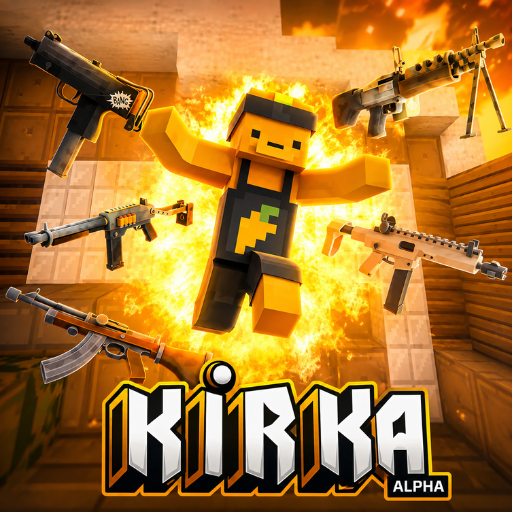 Kirka.io - A multiplayer FPS browser game
GAMEPLAY OVERVIEW
Compete Across Three Game Modes
In Kirka.io, your main objective changes depending on which of the three available modes you choose. Free-For-All puts players against each other, making individual combat performance the focus of the match. Team Mode shifts attention toward competing alongside teammates and trying to outscore the rival side. Parkour replaces standard firefights with movement-focused obstacle routes that test speed and precision.
Choosing the right mode allows you to focus on the type of challenge you prefer. Shooting and movement both play important roles during competitive matches, while learning map layouts can improve positioning. Crouching and dashing provide additional movement options that can be used strategically during combat. Before entering a battle, you can also select a weapon loadout suited to how you want to play.
Complete Quests and Grow Your Collection
Progression provides additional goals beyond winning individual matches. Daily quests can be completed to receive inventory rewards, giving you another reason to keep improving through regular play. Leaderboards also provide a way to measure competitive progress, while clan wars add another form of ongoing competition. These systems connect short matches with longer-term objectives outside a single battle.
Gold earned through gameplay can be used to purchase chests. Opening these chests provides access to weapons and skins that expand your inventory. Rewards also use a rarity-based system, allowing your collection to develop as you continue playing. Building that inventory gives you more options when preparing for future matches.
Customize Weapons and Character Appearance
The inventory system lets you adjust both combat equipment and visual customization. Different weapon loadouts can be selected before battle, allowing you to choose the equipment you want to bring into a match. Weapons can also be switched during gameplay when another option is needed. Learning how your selected equipment works alongside movement can improve your effectiveness during fights.
Customization also includes visual skins and options for personalizing your character's appearance. These cosmetic choices sit alongside the weapons and other rewards collected through progression. As more chests are opened, additional items can become part of your collection. Together, weapon selection, character customization, and rarity-based rewards provide several ways to develop your inventory between matches.
CONTROL GUIDE
- W, A, S, D: Move.
- Space: Jump.
- Left Mouse Button: Shoot.
- Right Mouse Button / X: Aim.
- Shift: Crouch.
- E: Dash.
- 1, 2, 3: Switch weapons.
- P / Esc: Open the weapon change menu.
SIMILAR GAMES





















hi ahahahahhahhahahahah