Granny Original
PC
- WASD / Arrow Keys: Move.
- E: Interact with objects.
- C: Crouch or stand up.
- R: Hide near a hiding place.
- Space: Throw an item.
- Hold F: Escape from a trap.
Mobile
- Left screen area (Virtual Joystick): Move.
- Right screen area (Touchpanel): Rotate the camera.
- Hand icon: Interact with objects.
- Sitting person icon: Crouch or stand up.
- Bed icon with arrow: Hide near a hiding place.
- Item drop icon: Throw an item.










ABOUT GRANNY ORIGINAL
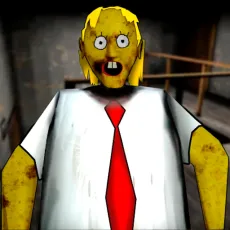
Granny Original is a horror escape puzzle game featuring stealth, exploration, and challenging environmental puzzles inside a locked house. Players search for useful items, solve interconnected puzzles, and avoid dangerous threats while escaping before five attempts come to an end. Granny Original creates constant tension through sound-based stealth, multiple escape routes, and carefully hidden puzzle solutions. Escape the house before your final chance disappears!
 Granny Original - A horror escape puzzle game
GAMEPLAY OVERVIEW
Escape Through Stealth and Puzzles
In Granny Original, players explore a locked house while searching for keys, tools, and puzzle items needed for escape. Every discovered object helps unlock additional areas or supports progress toward the final exit. Dropped items create noise, making careful movement important throughout every attempt. Hidden spaces under beds, inside closets, and inside chests provide temporary safety during dangerous encounters.
Difficulty Levels and Escape Items
Five difficulty settings change Granny's movement speed, floor noise, and the number of locks protecting the main door. Useful items include the Hammer, Padlock Key, Wire Cutters, Gears, and a weapon for temporary protection. The weapon only stuns Granny for a short period before another pursuit begins. Several escape routes remain available, including an alternative path through the garage.
Control Guide
PC
- WASD / Arrow Keys: Move.
- E: Interact with objects.
- C: Crouch or stand up.
- R: Hide near a hiding place.
- Space: Throw an item.
- Hold F: Escape from a trap.
Mobile
- Left screen area (Virtual Joystick): Move.
- Right screen area (Touchpanel): Rotate the camera.
- Hand icon: Interact with objects.
- Sitting person icon: Crouch or stand up.
- Bed icon with arrow: Hide near a hiding place.
- Item drop icon: Throw an item.
SIMILAR GAMES