Chameleon Hideout
PC
- W, A, S, D / Arrow Keys: Move.
- Space: Jump.
- T / Studio Button: Open the Color Studio.
- Mouse: Control the camera.
Mobile
- On-screen Joystick: Move.
- Jump Button: Jump.
- Color Studio Button: Open the Color Studio.













ABOUT CHAMELEON HIDEOUT
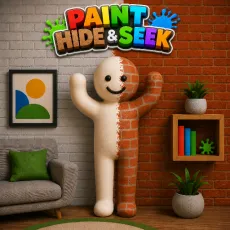
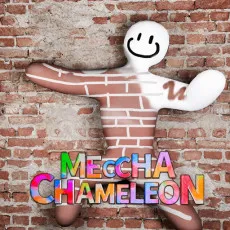
Chameleon Hideout is a 3D hide-and-seek game featuring color matching, camouflage mechanics, and stealth-based survival. Players repaint their chameleon, blend into different environments, avoid a robotic hunter, and survive until the countdown reaches zero. The game combines creative painting tools, quick decision-making, and strategic hiding to create an engaging stealth experience. Master the art of camouflage and stay hidden until time runs out!
 Chameleon Hideout - A 3D hide-and-seek game
GAMEPLAY OVERVIEW
Blend into the Environment
In Chameleon Hideout, players explore a room while searching for the perfect hiding place before the robotic hunter finds them. Matching your character's color to nearby walls, furniture, or floors increases camouflage effectiveness. Better color matching makes detection more difficult and improves your chances of survival. Choosing the right hiding spot is just as important as selecting the correct color.
Paint and Adapt Quickly
Players can open the Color Studio at any time to repaint their chameleon using different painting tools. The brush, fill tool, and pipette allow precise color adjustments that match surrounding objects more closely. The camouflage meter provides instant feedback on how well your character blends into the environment. Adapting quickly to different locations is essential as the hunt continues.
Survive the Hunt
The objective is to remain hidden until the timer reaches zero while avoiding paint shots from the robotic hunter. Careful movement, smart positioning, and effective camouflage work together to keep players out of sight. Every successful round rewards observation skills and quick thinking. Remaining calm under pressure is the key to staying hidden until the end.
CONTROL GUIDE
PC
- W, A, S, D / Arrow Keys: Move.
- Space: Jump.
- T / Studio Button: Open the Color Studio.
- Mouse: Control the camera.
Mobile
- On-screen Joystick: Move.
- Jump Button: Jump.
- Color Studio Button: Open the Color Studio.
SIMILAR GAMES