Animal Hospital Online
- Mouse: All interactions on desktop
- Touchscreen: All interactions on mobile









ABOUT ANIMAL HOSPITAL ONLINE
Animal Hospital Online is a chaotic physics sandbox game featuring characters from Animal Hospital. Players can populate the map with animals before building structures with available bricks and tools. The sandbox includes many weapons and objects that can create different physics interactions. Players can also place hospital furniture, fences, sports items, and other objects around the map. Creativity plays an important role as players build increasingly complex scenes. Once the setup is complete, pressing PLAY lets the placed elements interact within the sandbox. Build your scene, experiment with the physics, and create your own chaotic playground today!
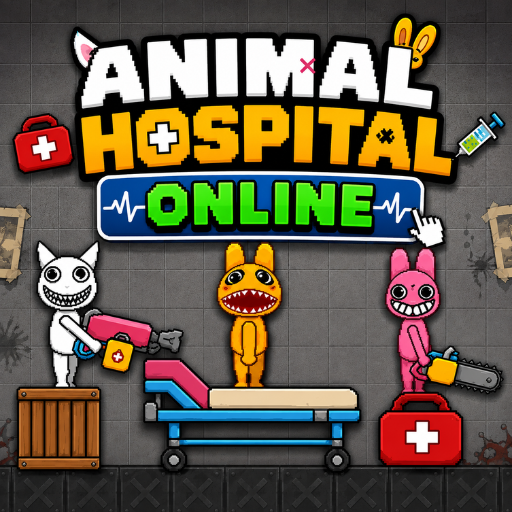
Animal Hospital Playground is a chaotic physics sandbox game
GAMEPLAY OVERVIEW
Sandbox Building
Animal Hospital Online lets players create custom scenes using animals, bricks, tools, and ready-made objects. Players can place animals from Animal Hospital around the map before starting the sandbox scene. Structures can also be built with available bricks and tools from the menu. Careful placement allows different elements to interact when the scene begins.
Weapons and Destruction
The game provides a wide selection of weapons for creating chaotic physics interactions. Available options include a pistol, machine gun, flamethrower, acid thrower, axe, spade, pickaxe, and sniper rifle. Players can also use chainsaws, grenades, fireworks, explosive mines, rockets, and a nuclear bomb. These tools give players many ways to experiment with destruction inside their custom scenes.
Objects and Scene Creation
Players can place objects such as hospital beds, office chairs, fire extinguishers, medical kits, and water dispensers. Other options include trash cans, fences, soccer balls, guitars, logs, sofas, armchairs, wardrobes, and bedside tables. Before pressing PLAY, players can position as many elements as they want around the scene. The resulting interactions create different physics-based outcomes depending on how the objects are arranged.
Control Guide
- Mouse: All interactions on desktop
- Touchscreen: All interactions on mobile
SIMILAR GAMES