Motocross Race
Keyboard Controls
W / Up Arrow: Accelerate.
S / Down Arrow: Brake.
A / Left Arrow: Lean backward.
D / Right Arrow: Lean forward.
Space: Fire a rocket.
R: Restart the race.
P / Esc: Pause the game.
H: Show or hide the key guide.
Menu Controls
Arrow Keys / WASD: Navigate menu options.
Enter / Space: Confirm a selection.
Esc: Go back.
R: Race again on the results screen.
N: Start the next race.
Mouse Controls
- Mouse Click: Select menu buttons and use the Pause, Restart, and Rocket buttons during races.


ABOUT MOTOCROSS RACE
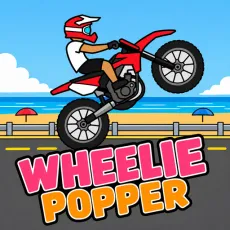
Motocross Race is a side-view dirt bike racing game built around short duels and precise bike control. Accelerate across rough terrain, launch over jumps, and compete against rival riders to reach the finish line first. Balance your bike in midair to land safely, maintain speed through whoops, and fire rockets for extra acceleration. Progress through 36 tracks across three divisions, with nine bonus stadium challenges waiting for riders who beat Ace times. Earn coins to unlock 13 bikes and customize your rider with different looks and gear. Start your engine and take on the dirt tracks!
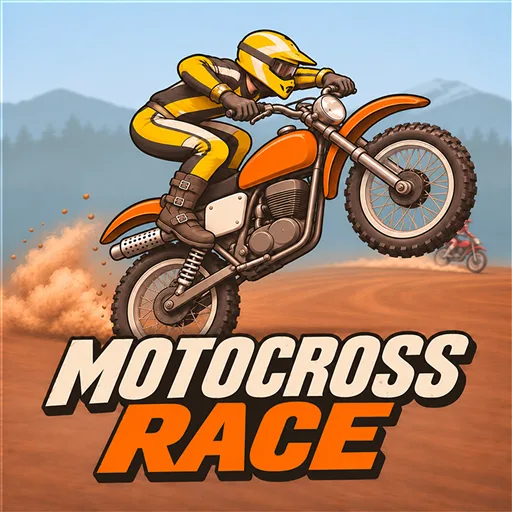
Motocross Race - A physics-based dirt bike racing game
GAMEPLAY OVERVIEW
Master Bike Balance And Win Every Race
Each race in Motocross Race starts with a countdown before you compete against a rival rider on the same track. Hold the throttle to accelerate, brake when needed, and lean backward or forward to control your bike in the air. Proper balance helps you land on both wheels and maintain momentum through jumps and rough sections. Poor landings cause crashes, but you can restart immediately and try again. Fire rockets at the right moment to gain a short burst of speed and beat your opponent's time.
Progress Through Tracks And Unlock Bonus Challenges
Career mode features 36 regular tracks divided into Novice, Intermediate, and Expert divisions. Win races to unlock new tracks, progressing through groups of three. Beat the Ace time on all three tracks in a group to access its bonus stadium challenge. You can also unlock Time Attack after your first Career victory. This mode lets you race against your personal best, while instant restarts make it easy to improve your performance.
Unlock Bikes And Customize Your Rider
Earn coins and XP by completing races, winning competitions, and achieving new track records. Spend your coins on 13 bikes, each with its own speed and acceleration ratings. You can also collect 14 bike looks, four rider outfits, and 12 helmets. Additional customization includes free color choices, number plates, and emoji plates. Daily bonuses provide extra coins and rockets to support your next racing attempts.
CONTROL GUIDE
Keyboard Controls
W / Up Arrow: Accelerate.
S / Down Arrow: Brake.
A / Left Arrow: Lean backward.
D / Right Arrow: Lean forward.
Space: Fire a rocket.
R: Restart the race.
P / Esc: Pause the game.
H: Show or hide the key guide.
Menu Controls
Arrow Keys / WASD: Navigate menu options.
Enter / Space: Confirm a selection.
Esc: Go back.
R: Race again on the results screen.
N: Start the next race.
Mouse Controls
- Mouse Click: Select menu buttons and use the Pause, Restart, and Rocket buttons during races.