Drift Rally
PC Controls:
← / → or A / D: Steer left or right.
↓ or S: Brake; hold to reverse.
Space: Activate the handbrake.
C: Change camera view.
Esc or P: Pause the game.
↑ or W: Accelerate when Manual Throttle is enabled in Settings.
Mouse Controls:
- Left Click: Navigate menus and use the on-screen Brake and Hand Brake buttons.






ABOUT DRIFT RALLY
Drift Rally is a 3D rally drifting game where players slide powerful rally cars across gravel, asphalt, and mud to reach checkpoints before the timer runs out. Featuring two game modes, it challenges drivers to survive endless checkpoint runs or complete 60 timed stages with laps, reverse routes, and drift targets. Players can collect cash, unlock 10 rally cars, and improve their vehicles with turbo, brake, exhaust, and suspension upgrades. Five locations with changing weather conditions provide different environments to master, while ghost racing and track-specific leaderboards encourage players to beat their personal records. Jump behind the wheel, master every corner, and see how far your drifting skills can take you!
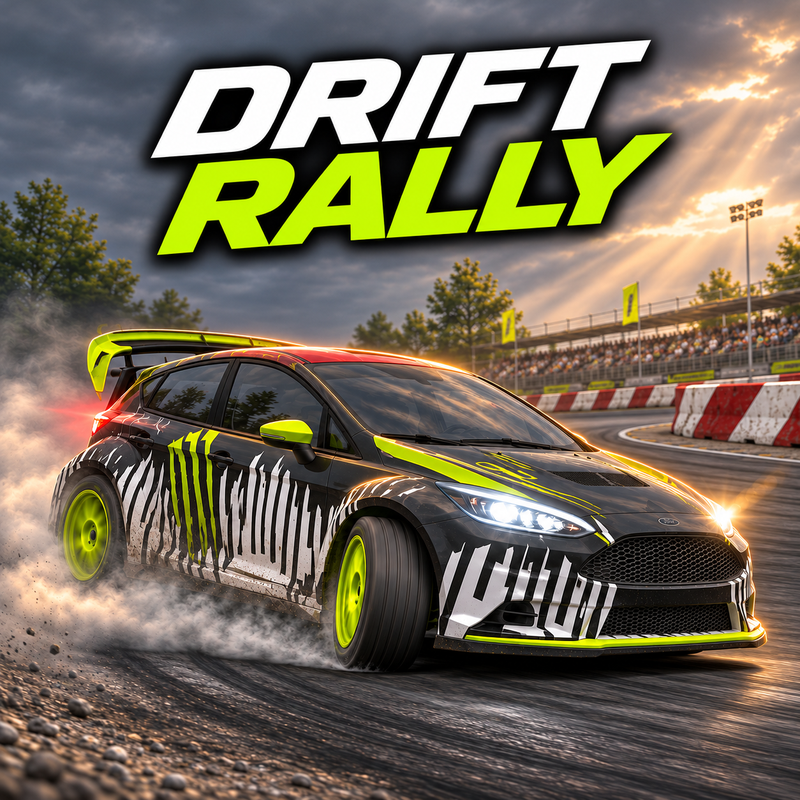
Drift Rally - 3D Rally Drifting and Racing Game
GAMEPLAY OVERVIEW
Drift Through Checkpoints and Beat the Clock
In Drift Rally, players must maintain control of their rally cars while performing controlled slides through challenging corners. Survival mode features endless driving, where reaching each checkpoint adds extra time to the countdown, although the bonus gradually decreases as the run continues. Your score depends on the total distance covered in a single run, and you can race alongside a ghost of your previous performance to improve your results. If the timer expires, you can spend cash to continue your run up to three times.
Challenge mode offers 60 stages divided into two sets of 30. Each stage requires players to complete one to four laps within a time limit ranging from 87 to 333 seconds while reaching the required drift target, which can reach 8,000 points. Stages unlock sequentially, and first-time completions reward between $2,000 and $10,000.
Master Different Tracks and Driving Conditions
The game features five locations, each with its own combination of surfaces and weather conditions:
Hydro Power Station: Gravel, asphalt, and mud, with dawn, clear, and winter snow conditions.
Construction Site: Mixed gravel, asphalt, and mud routes with changing weather.
Harbour: Asphalt and gravel roads under noon, dawn, and sunset lighting.
Rally Cross: Gravel racing with sunset, clear, and noon conditions.
Coliseum: Gravel and asphalt routes in clear, noon, and sunset conditions.
Surface grip affects how your car handles corners. Loose gravel encourages sliding, asphalt provides more grip, and slippery mud makes maintaining control more challenging. You can also switch between a chase camera and an interior driver's view to experience the action from different perspectives.
Build, Upgrade, and Tune Your Rally Cars
Every run rewards cash based on distance traveled, drift points, average speed, and a bonus for finishing without crashing. Use your earnings to expand a collection of 10 rally cars, ranging from a free starter vehicle to the most expensive option at $300,000.
Each owned car supports four upgrade categories:
Turbo: 10 upgrade levels.
Brakes: 10 upgrade levels.
Exhaust: 10 upgrade levels.
Suspension: 10 upgrade levels.
The Garage also provides free tuning options for gearbox, suspension, anti-roll bar, and ride height, with five adjustment steps for each setting. Once you are ready to compete, aim for the longest Survival distance and climb the daily, weekly, monthly, and all-time leaderboards available for every track. Each run also ends with a highlight replay, giving you another chance to review your driving.
Control Guide
PC Controls:
← / → or A / D: Steer left or right.
↓ or S: Brake; hold to reverse.
Space: Activate the handbrake.
C: Change camera view.
Esc or P: Pause the game.
↑ or W: Accelerate when Manual Throttle is enabled in Settings.
Mouse Controls:
- Left Click: Navigate menus and use the on-screen Brake and Hand Brake buttons.