
Grow a garden for Brainrots
PC
- W, A, S, D: Move.
- Hold Right Mouse Button: Rotate the camera.
- E: Plant, harvest, sell, or clear a garden bed.
- Q: Upgrade a garden bed.
Mobile
- Left Side of the Screen: Move.
- Right Side of the Screen: Rotate the camera.
- On-screen Buttons: Interact with beds and upgrade them.














ABOUT GROW A GARDEN FOR BRAINROTS
Grow a Garden for Brainrots is a farming game featuring rare crop collection and relaxing garden management. Every session encourages players to grow unusual Brainrots, harvest valuable crops, and expand their gardens across new planting areas. Each successful harvest supports steady progression while unlocking additional zones and improving growing efficiency through bed upgrades. Furthermore, every new collection adds fresh goals while creating a satisfying farming adventure filled with rewarding discoveries. Start planting now and grow the ultimate Brainrots garden!
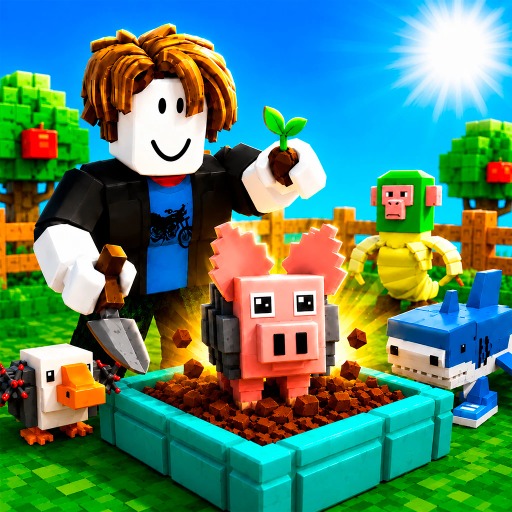 Grow a Garden for Brainrots - A farming game
GAMEPLAY OVERVIEW
Plant, Harvest, And Expand
Grow a Garden for Brainrots begins every adventure with planting seeds across garden beds before harvesting valuable Brainrots after successful growth. Every harvested crop supports continued progress while opening opportunities for selling resources and clearing beds for future planting. New garden zones become available through steady advancement while expanding farming possibilities across larger growing areas. Additionally, regular harvesting encourages efficient garden management throughout every farming session.
Upgrade Your Garden
Garden beds become stronger through upgrades while supporting better farming progress across the expanding collection of Brainrots. Every improvement increases long-term development while encouraging players to continue planting, harvesting, and collecting rare crops. Level progression rewards consistent farming while creating new objectives through additional garden expansion. Every successful upgrade prepares the garden for greater productivity and continued collection growth.
Control Guide
PC
- W, A, S, D: Move.
- Hold Right Mouse Button: Rotate the camera.
- E: Plant, harvest, sell, or clear a garden bed.
- Q: Upgrade a garden bed.
Mobile
- Left Side of the Screen: Move.
- Right Side of the Screen: Rotate the camera.
- On-screen Buttons: Interact with beds and upgrade them.
SIMILAR GAMES
























TATATATATA CATA PIOLIU