Racing Pop
- Left Mouse Button (Hold): Accelerate.
- Release Left Mouse Button: Slow down before corners.




ABOUT RACING POP
Racing Pop is an arcade racing game featuring one-button controls, automatic steering, and precision-based driving. Players race across scenic tracks, unlock new vehicles, upgrade performance, and compete for faster lap times on global leaderboards. Racing Pop combines colorful low-poly visuals, realistic physics, and accessible gameplay that rewards perfect timing instead of complex controls. Master every corner and race your way to the top of the leaderboard!
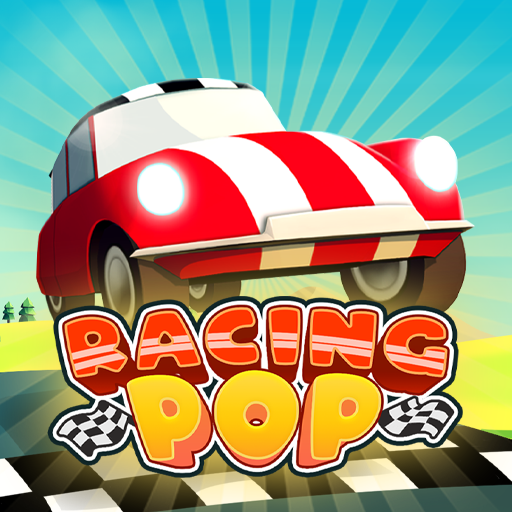 Racing Pop - An arcade racing game
GAMEPLAY OVERVIEW
Master One-Button Racing
In Racing Pop, players control acceleration by holding the left mouse button and releasing it before corners to maintain control. Automatic steering keeps the car on the road, making precise timing the key to every successful race. More than 50 tracks across five unique locations provide increasingly demanding layouts. Every corner challenges players to balance speed and control.
Upgrade Cars for Better Performance
The garage allows players to improve tires, suspension, brakes, transmission, and engine pistons between races. These upgrades increase overall performance and prepare vehicles for more difficult tracks. Over 19 unlockable cars provide additional progression as players continue racing. Better upgrades support smoother handling and faster lap times.
Tips for Faster Lap Times
Treat every corner as an opportunity to improve your racing line instead of simply slowing down. Releasing the accelerator slightly before entering sharp bends often creates cleaner exits and maintains momentum. Regular garage upgrades also improve stability across challenging tracks. Consistent timing is the key to climbing the global leaderboard.
Control Guide
- Left Mouse Button (Hold): Accelerate.
- Release Left Mouse Button: Slow down before corners.
SIMILAR GAMES