
Kick Lucky Blocks Online
Player 1:
- W / A / S / D: Move
- E or Left Click: Interact and kick
- Space: Jump
- Mouse / Right Click: Control camera
- R: Open bag
- T: Open shop
- Y: Rebirth
- C: Open chat
Player 2:
- Arrow Keys: Move
- J: Interact and kick
- L: Jump
- U: Open bag
- I: Open shop
- O: Rebirth








ABOUT KICK LUCKY BLOCKS ONLINE
Kick Lucky Blocks Online is an arcade game inspired by distance challenges, collectible progression, and dangerous tsunami escape mechanics. Throughout every run, players experience exciting risk-reward gameplay while chasing lucky blocks across expanding environments filled with hazards. The gameplay focuses on kick distance, movement speed, upgrade management, and survival during high-pressure collection runs. Every successful return rewards careful planning and encourages players to improve progression through stronger upgrades and rarer collectibles. Fast-paced gameplay loops and colorful low-poly visuals maintain addictive action while supporting continuous replayability across multiple zones. Enter the arena today and chase powerful Brainrots before the tsunami reaches you!
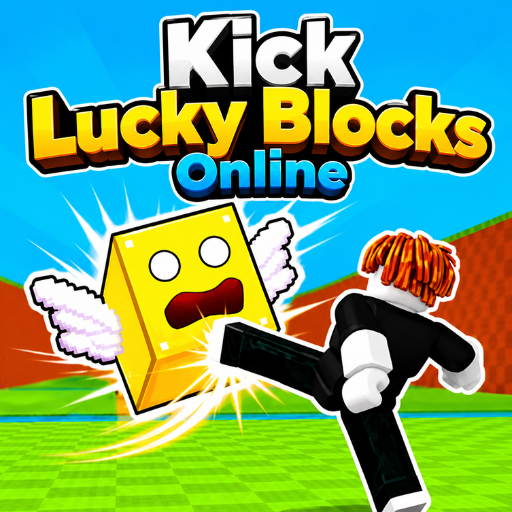 Kick Lucky Blocks Online - an arcade game inspired by distance challenges
GAMEPLAY OVERVIEW
Core Gameplay
In Kick Lucky Blocks Online, players launch lucky blocks across large arenas and sprint toward valuable collectible rewards. Every run begins by kicking a block into the distance before chasing it through dangerous environments. The primary objective involves collecting rewards and returning safely before rising tsunami waves flood the area completely. Therefore, balancing speed and survival becomes essential throughout every increasingly risky collection attempt. Longer kicks usually provide stronger rewards but also create greater danger during return journeys.
Progression and Collectibles
Players earn currency and upgrade movement abilities to improve efficiency across larger and more dangerous gameplay zones. Weights increase kick distance while speed upgrades help players escape approaching tsunami waves more effectively. Consequently, stronger upgrades support deeper exploration and improve access to higher rarity Brainrots throughout progression. Rebirth systems reset visible progress while increasing future income multipliers for faster long-term advancement. More than seventy-five collectible Brainrots appear across fourteen different zones featuring multiple rarity tiers and event variants.
Events, Features, and Control Guide
Special events introduce exclusive Brainrots and reward players exploring limited-time environments during gameplay sessions. Diamond, Rainbow, Toxic, Volcano, and Candy events each provide unique collectible opportunities throughout progression. Online gameplay supports solo experiences alongside local two-player gameplay for cooperative or competitive sessions. Furthermore, storage upgrades and expandable bases allow players to manage larger Brainrot collections more efficiently.
Control Guide
Player 1:
- W / A / S / D: Move
- E or Left Click: Interact and kick
- Space: Jump
- Mouse / Right Click: Control camera
- R: Open bag
- T: Open shop
- Y: Rebirth
- C: Open chat
Player 2:
- Arrow Keys: Move
- J: Interact and kick
- L: Jump
- U: Open bag
- I: Open shop
- O: Rebirth
SIMILAR GAMES
















hi