Car Smash Simulator: Crash & Tune
- W, A, S, D: Drive.
- Space: Handbrake.
- Shift: Nitro.
- Tab: Pause.
- C: Switch camera.
- R: Flip the car.
- K: Repair the vehicle.
- N: Switch to the next car.
- B: Slow motion.





ABOUT CAR SMASH SIMULATOR: CRASH & TUNE
Car Smash Simulator: Crash & Tune is a car destruction simulator featuring realistic crash physics, open-world exploration, and deep vehicle customization. Players discover different cars, launch them into destructive obstacles, perform spectacular stunts, and rebuild them with extensive tuning options. The game combines detailed damage effects and endless experimentation for players to explore. Customize your favorite vehicle and create the biggest crashes imaginable!
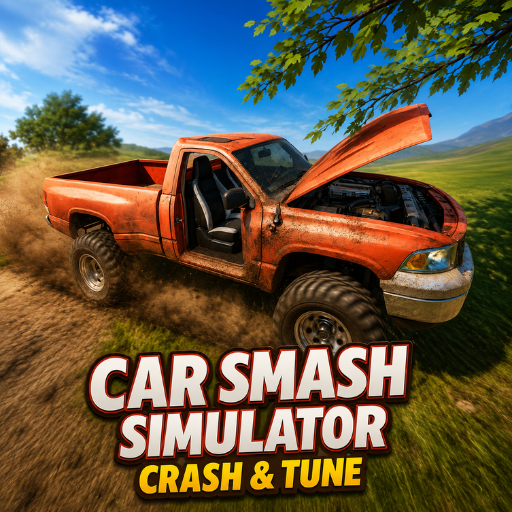 Car Smash Simulator: Crash & Tune - A car destruction simulator
GAMEPLAY OVERVIEW
Explore, Crash, and Experiment
In Car Smash Simulator: Crash & Tune, players freely explore an open-world sandbox filled with destruction zones and hidden vehicles. Giant hammers, hydraulic crushers, and massive ramps create countless opportunities for spectacular crashes. Every collision produces realistic damage as doors, wheels, and body panels react to powerful impacts. Players can instantly switch vehicles and continue experimenting with different crash scenarios.
Customize Every Vehicle
Every discovered car can be personalized before returning to the destruction arena. Players can change the body color, paint individual parts, adjust wheel size, modify ride height, and fine-tune camber settings. Each customization creates a unique driving experience while adding variety to every crash test. Rebuilding and redesigning vehicles is just as rewarding as destroying them.
Master the Destruction Physics
Using nitro at the right moment creates even more dramatic crashes against heavy obstacles and ramps. Slow motion allows players to watch every collision in detail while different camera angles provide the best view of the destruction. Exploring the map reveals additional vehicles to test in increasingly creative ways. Combining speed, physics, and customization makes every session feel different.
CONTROL GUIDE
- W, A, S, D: Drive.
- Space: Handbrake.
- Shift: Nitro.
- Tab: Pause.
- C: Switch camera.
- R: Flip the car.
- K: Repair the vehicle.
- N: Switch to the next car.
- B: Slow motion.
SIMILAR GAMES
- Smash Room
- Ship Smasher
- Bucket Smash
- School Fury