Geometry Arrow
PC Controls:
Press Spacebar or hold the Left Mouse Button to control movement.
Mobile Controls:
Tap and hold on the screen to zig-zag through obstacles.












About Geometry Arrow
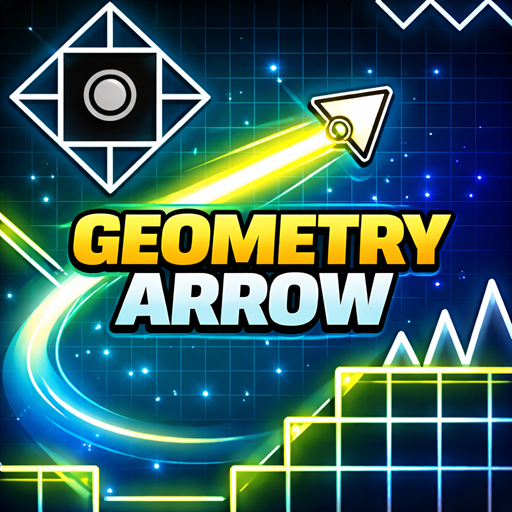
Geometry Arrow is a fast-paced arcade game that tests your reflexes, precision, and timing. In this skill-based adventure, you control a sharp arrow navigating through dangerous underground caves packed with spikes, walls, and deadly traps. One mistake sends you back to the start, making every movement count. Your objective is straightforward: reach the portal at the end of each level without crashing. However, as the difficulty ramps up, staying alive becomes a serious challenge.
Geometry Arrow – Play the Fast-Paced Arcade Game Online
Gameplay Overview
In Geometry Arrow, you pilot a constantly moving arrow through narrow passages and hazard-filled corridors. The mechanics are simple but demanding. You must zig-zag through tight spaces while avoiding:
Razor-sharp spikes
Solid walls and columns
Narrow cave tunnels
Sudden trap formations
Each level introduces more complex layouts and tighter reaction windows. As you progress, the speed increases—especially toward the end of each level—requiring sharper focus and quicker decisions.
The progress bar at the top of the screen helps you track how much distance remains before reaching the portal.
Game Objective
Your goal in every level is to guide the arrow safely to the portal at the end of the cave.
If the arrow touches any obstacle, wall, or spike, the level restarts from the beginning. There are no shortcuts—success depends entirely on precision and consistent control.
With 6 progressively challenging levels, each stage becomes more intense than the last. Only players with strong timing and steady hands will complete them all.
Difficulty and Progression
Geometry Arrow is built around progressive difficulty:
Early levels feature wider paths and slower speed.
Mid-level stages introduce tighter corridors and more frequent traps.
Later levels significantly increase speed and obstacle density.
The gradual speed increase near the end of each level forces players to stay alert until the very last moment.
Controls Guide
PC Controls:
Press Spacebar or hold the Left Mouse Button to control movement.
Mobile Controls:
Tap and hold on the screen to zig-zag through obstacles.
The control scheme is minimal, making the game easy to learn but difficult to master.
Why Geometry Arrow Is Addictive
Simple one-button mechanics
Instant restarts for fast retry cycles
Increasing speed that keeps tension high
Clean, minimal visual design focused on gameplay
Short but challenging levels perfect for skill practice
Geometry Arrow rewards repetition, muscle memory, and refined timing. Each attempt helps you push a little further toward mastering every cave.
Similar Games
If you enjoy Geometry Arrow, you may also like:
These games share fast reflex gameplay, precision mechanics, and skill-based progression. Can you survive all six caves and reach every portal without crashing?