
Flip Spot
- Spacebar / W / Up Arrow: Jump and flip.
- R: Replay the level.
- Esc: Pause the game.







ABOUT FLIP SPOT
Flip Spot is a physics-based parkour game where you jump from platforms, perform aerial tricks, and try to land each stunt successfully. Flips, spins, changing heights, and more than 70 trick combinations create plenty of ways to experiment in the air. Arcade Mode provides level-by-level progression, while Free Mode gives you an endless area for practicing movements. Launch from each platform, control your rotations, and turn your riskiest aerial combinations into clean landings!
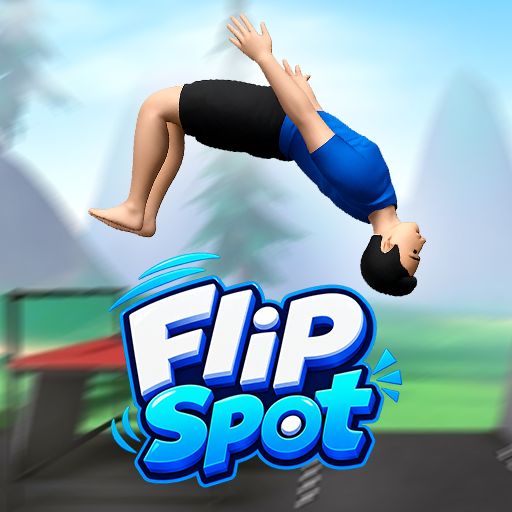 Flip Spot - A physics-based parkour game
GAMEPLAY OVERVIEW
Jump, Flip, and Stick the Landing
In Flip Spot, every stunt begins by launching from a platform and controlling your movement while airborne. The short time between takeoff and landing lets you perform flips, add rotations, and build combinations before gravity brings you back down. Adding more movements can strengthen a combo, but every extra rotation also changes your landing angle. Completing the stunt requires regaining enough control to land cleanly instead of tumbling.
Successful landings add to your score, giving each jump a clear objective beyond simply reaching another platform. Longer aerial sequences can provide stronger scoring potential, encouraging you to experiment with increasingly ambitious combinations. Failed attempts give you another opportunity to adjust the next stunt. Deciding when to stop rotating becomes just as important as knowing when to add another move.
Practice in Arcade and Free Modes
Two modes provide different ways to approach the flipping challenges. Arcade Mode uses level-by-level progression, allowing you to advance while unlocking harder tricks. Each new move expands the combinations available for later stunts. Stronger jumps and faster air rotation also gradually create more possibilities for experimenting above the platforms.
Free Mode removes the level-by-level structure and provides an endless flipping zone for practice. You can use different parts of the area to experiment with movements and work on controlling your landings. This makes it possible to focus on individual tricks or test longer combinations. Both modes revolve around the same balance between aerial creativity and maintaining enough control to finish the stunt.
Explore Tricks Across Different Locations
More than 70 trick combinations provide numerous ways to develop each jump beyond a basic backflip. Different flips can be connected with aerial rotations, while newly unlocked movements create opportunities for larger sequences. Extending a combination can increase its score potential, but it also raises the risk of losing balance before landing. Each attempt becomes a choice between securing the landing or pushing the stunt further.
Three main backgrounds provide different spaces for performing these tricks. Changing heights and landing areas influence how each attempt develops across the locations. Every background also supports both day and night settings, changing the atmosphere without altering the core challenge. These environments give you multiple places to test unlocked tricks and increasingly risky combinations.
Control Guide
- Spacebar / W / Up Arrow: Jump and flip.
- R: Replay the level.
- Esc: Pause the game.
SIMILAR GAMES























it fan